 川流不息
Linode’s stability has always been praised by users. When I first created my host I hadn’t done enough homework and picked the California data center as the location. Only later did I learn that for users in China, the Japan data center responds faster, so I even created a separate host in Japan to test it. The results showed Japan winning hands down with 80 ms of latency versus California’s 220 ms, with no noticeable difference in upload or download speed. With such a big advantage, there was no reason not to switch.
The Migration Process
Migration is very simple and has no effect on the data on the host — Linode moves all the disk images you created to the new location. Two things to note:
-
The host must be shut down before migrating. The time it takes depends on disk size. Linode quotes 10–15 minutes per GB, but in practice it was faster: my 24 GB of data took only about an hour.
-
The IP address changes after migration, so update your DNS records with your domain provider right away.
Perhaps to discourage frequent migrations, Linode doesn’t offer migration in the management console. To migrate, you have to open a ticket and have support do it on the backend. As I mentioned in the previous post, Linode’s support is very friendly and professional, and requests usually get answered quickly. When I migrated, the Japan data center happened to be out of capacity, so support added me to a waitlist and promised to notify me as soon as new hardware was ready. About four days later I got this email from support:
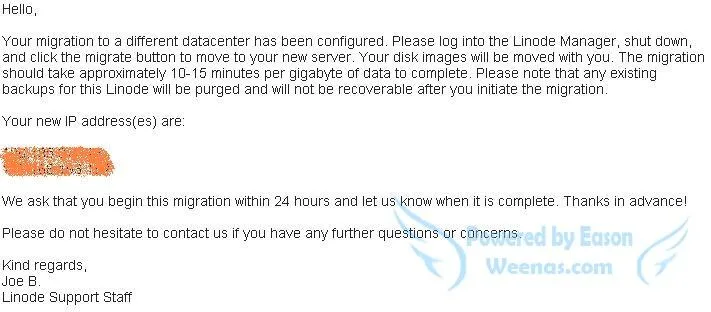
If you receive an email like the one above, the migration is ready. Just follow the steps in the email — shut down, migrate, boot up — and you’re done. Log in with the new IP address and everything is exactly as before; the only difference is speed, with a clear improvement in both SSH and web response times.